qrcode.ing animates the QR pattern — Flowcode stays static
Flowcode is built for enterprise retail and events, with strong offline-to-online analytics, team management, and brand customisation at $25/month. It is a capable platform for organisations that need QR codes on product packaging, in-store displays, and large-scale campaigns. qrcode.ing takes a different path: the QR code pattern itself moves as a looping GIF, making it purpose-built for digital placements — video overlays, digital signage, presentations, and social media. If your priority is animated QR codes, free-tier access, and screen-first campaigns, qrcode.ing is the purpose-built choice.
Decision checklist
Free on qrcode.ingNeed animated GIF QR codes → choose qrcode.ing
Need persistent saved QR codes on a free account → choose qrcode.ing
QR code on a screen (video, signage, social) → choose qrcode.ing
Dynamic links editable after printing → both tools work
Enterprise retail or CPG at scale → evaluate Flowcode
Head-to-head: qrcode.ing vs Flowcode
How the two platforms compare across the features that matter most for screen-based campaigns.
Screen or print — choose your primary channel
Flowcode is optimised for physical placements: packaging, retail shelf tags, and event signage where static QR codes are standard. qrcode.ing is built for screens — video overlays, digital signage, social media, and presentations where animated QR codes attract more scans.
Evaluate your budget
Flowcode charges $25/month from the first day. qrcode.ing lets you create temporary QR codes — including animated GIF codes — without a credit card after CAPTCHA. Save to a free account for persistent editing and plan-limited analytics.
Match the tool to the team
Flowcode suits enterprise teams with retail integration needs and dedicated account management requirements. qrcode.ing suits individual creators, marketing teams, and agencies that need fast, cost-effective animated QR code generation for digital content.
Animated QR codes
qrcode.ing only
Flowcode generates static QR codes. qrcode.ing animates the QR pattern as a looping GIF.
Free tier
qrcode.ing only
Flowcode starts at $25/month with no permanent free plan. qrcode.ing free accounts save up to 3 persistent QR codes.
Scan analytics
Both tools
Both platforms include scan tracking. qrcode.ing account analytics are plan-limited; Free includes 7 days and 1,000 scans/month.
Dynamic links
Both tools
Both tools support editable destination URLs after QR creation. No reprinting needed when the link changes.
How to choose: qrcode.ing vs Flowcode
A practical framework for matching the right QR code tool to your use case and budget.
Choose qrcode.ing for animated QR codes
Only qrcode.ing creates a QR code where the pattern itself animates as a GIF. For video overlays, TikTok content, digital signage, and social media, that motion attracts attention that Flowcode static codes cannot.
Choose qrcode.ing if cost matters
Flowcode starts at $25/month. qrcode.ing is free to start with no credit card required. If your project is a small campaign, a personal project, or a limited budget, the cost difference is significant.
Choose qrcode.ing for screen-first campaigns
qrcode.ing is specifically built for digital placements: YouTube overlays, presentation slides, digital signage loops, and streaming content. The animated GIF format is designed to grab attention on screens.
Consider Flowcode for large-scale retail or CPG
Flowcode is well-suited for enterprise teams with packaging and retail integration needs. If your use case involves high-volume physical print runs and enterprise account management, Flowcode is worth evaluating.
Both tools support dynamic links
Dynamic QR codes let you update the destination URL after the QR is printed or published. Both qrcode.ing and Flowcode support this. With qrcode.ing, dynamic links are available on the free and paid tiers.
Animated QR code examples
These QR codes animate as GIFs — the pattern itself moves. Flowcode does not offer animated QR output.
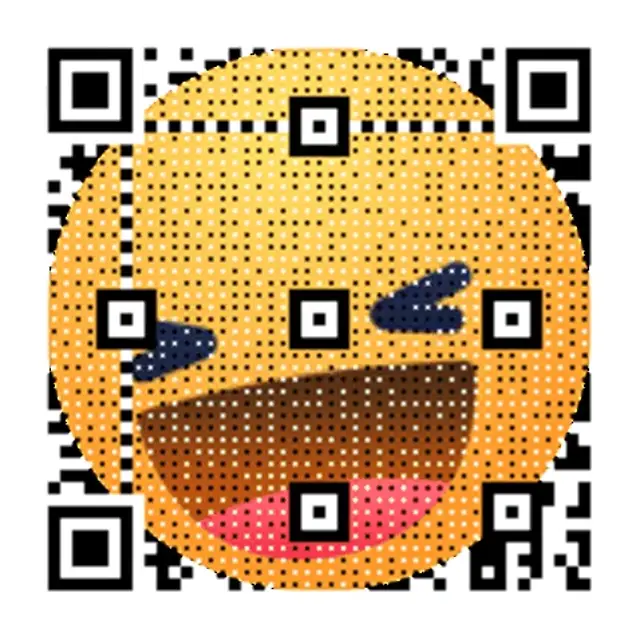
Animated video overlay
The QR pattern loops as a GIF — impossible with Flowcode or static generators.
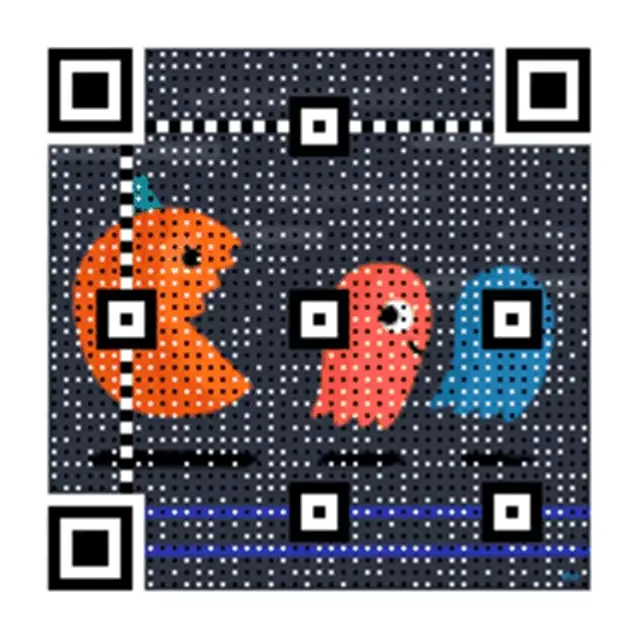
Digital signage QR
Smooth looping animation built for screens, displays, and video backdrops.

Social media ready
Animated QR code designed to stop the scroll on social feeds and stories.
When qrcode.ing is the better fit
Practical scenarios where qrcode.ing outperforms Flowcode for screen-first placements.
Video and streaming content
Add motion to your call-to-action
Animated QR codes embedded in video overlays or streaming content attract scans that static Flowcode QRs cannot. The looping GIF pattern signals activity to viewers.
Social media campaigns
Stop the scroll with a moving QR code
A GIF QR code in a social post or story catches the eye before viewers swipe past. Flowcode produces static graphics; qrcode.ing produces animated GIF output built for feeds.
Budget-conscious digital campaigns
Launch without a monthly platform fee
qrcode.ing lets guests create and download animated and static QR codes after CAPTCHA with no signup. Flowcode requires a $25/month subscription before you create a single code.
Frequently asked questions
Common questions about choosing between qrcode.ing and Flowcode.
What is the main difference between qrcode.ing and Flowcode?
The two key differences are animated QR codes and pricing. qrcode.ing creates QR codes where the pattern itself moves as a looping GIF. Guests can create and download after CAPTCHA without signup; saving dynamic links and viewing analytics requires an account.
Does Flowcode have a free plan?
Flowcode does not offer a permanent free tier. Their plans start at $25/month. qrcode.ing lets guests create temporary QR codes without signup after CAPTCHA; a free account can save up to 3 persistent QR codes with no credit card required.
Can Flowcode create animated QR codes?
No. Flowcode generates static QR codes. qrcode.ing is different — the QR pattern itself animates as a looping GIF. When someone views a qrcode.ing animated QR code, the modules of the code move continuously, making it ideal for video overlays, digital signage, and social media content.
How does qrcode.ing pricing compare to Flowcode?
qrcode.ing lets guests start animated QR creation without signup after CAPTCHA. A free account provides up to 3 persistent dynamic QR codes, editing, 1,000 scans/month, and 7 days of analytics history. Flowcode starts at $25/month with no free option.
Is qrcode.ing good for enterprise use like Flowcode?
Flowcode is purpose-built for enterprise retail, CPG, and events with dedicated account management and integrations. qrcode.ing is optimised for screen-based placements — video, social media, digital signage, and presentations. For large enterprise teams with packaging and retail needs, Flowcode may be the better fit. For animated QR codes and screen-first campaigns, qrcode.ing is the purpose-built choice.
Related pages
Explore qrcode.ing features
See animated QR codes, dynamic links, and scan analytics for screen-first campaigns.
Ready to try animated QR codes?
Create and download your first animated QR code free after CAPTCHA — no signup required.