Perché l’animazione funziona sugli schermi
Il movimento cattura l’attenzione quando le persone scorrono o guardano un video. Un QR animato dà all’occhio un motivo per fermarsi, poi scansionare. Sugli schermi mantieni movimento, contrasto e la CTA in un blocco compatto.
Focus sulla scansione
Progettato per gli schermiVisibile a schermo per almeno 6–8 secondi
Posizionato lontano da overlay dell’interfaccia o sottotitoli
Almeno 220px di larghezza per contenuti 1080p
Un’unica CTA vicino al QR code
Il link corto si apre correttamente
Testato su fotocamere iOS e Android
Specifiche di posizionamento su schermo
Valori di base che mantengono stabili le scansioni dei QR animati sulla maggior parte degli schermi.
Scegli uno sfondo pulito
Evita riprese affollate così il QR risalta subito.
Aggiungi una CTA di una riga
Dì agli spettatori esattamente cosa ottengono dopo la scansione.
Prova su due dispositivi
Verifica la velocità di scansione sia con la fotocamera iOS che Android.
Dimensione minima
220px
Per schermi 1080p. Aumenta la scala per display più grandi.
Tempo a schermo
6-8 secondi
Dai agli spettatori il tempo di aprire la fotocamera.
Velocità del loop
1.5-2.5s
Loop fluidi vengono scansionati in modo più affidabile.
Contrasto
70%+
Moduli scuri su sfondi chiari.
Consigli di design orientati alla scansione
Rendi ogni frame adatto alla scansione con questi consigli pratici.
Mantieni pulita la zona di rispetto
Lascia un bordo chiaro intorno al QR così le fotocamere agganciano rapidamente.
Rallenta l’animazione
Usa loop fluidi invece di sfarfallii rapidi per evitare cali di scansione.
Usa bordi ad alto contrasto
Primo piano scuro su sfondo chiaro continua a essere la soluzione che scansiona meglio.
Aggiungi una breve CTA nelle vicinanze
Un copy semplice come "Scansiona per la clip bonus" aumenta l’intenzione.
Testa alla dimensione reale
Verifica la scansione da telefono alla stessa dimensione a schermo che utilizzerai.
Esempi di QR code
Anteprima di alcuni stili che funzionano bene su schermi e overlay social.
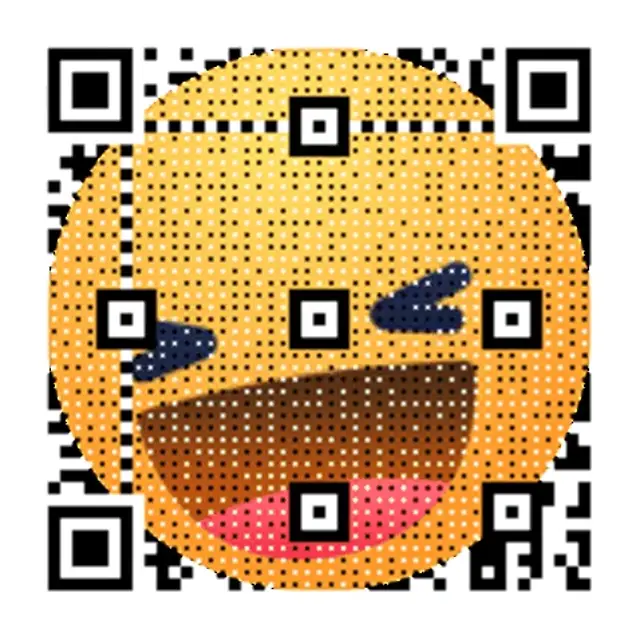
Promo Griglia Neon
Griglia ad alto contrasto che si legge chiaramente sugli schermi.

Lancio Retro Wave
Gradiente neon morbido pensato per overlay video.

Impulso in modalità notte
Esempio di QR animato con bordi di scansione nitidi.
Modelli di copy per overlay
Copy pronti da usare che si abbinano perfettamente ai QR code animati.
Ricompensa immediata
Scansiona per sbloccare la clip bonus
Funziona bene per video brevi e annunci.
Drop limitato
Scansiona ora. Il drop chiude stasera.
Ottimo per lanci e promozioni lampo.
Funnel di follow
Scansiona per seguire e ricevere aggiornamenti
Ideale per la crescita di creator e community.
Scopri tutti i casi d'uso dei QR animati
Esplora l'intera libreria di pagine QR per schermi, dagli overlay video alla segnaletica digitale.
WiFi QR Code Generator — Create a Wi-Fi QR Code
Create a Wi-Fi QR code for your network. Share the SSID, password, security type, and hidden-network setting in one scannable code.
QR Code GIF Maker — Free GIF QR Code Generator
Turn a link into a QR code GIF — the code itself animates, not just the destination. Create and download after CAPTCHA with no signup, no watermarks.
QR Code for Video Overlay — Free Animated GIF, No Signup
Free QR code for video overlay — animated GIF for YouTube, TikTok & streams. Create and download after CAPTCHA with no signup; save to an account for editing and dashboard analytics.
How to Turn a Video Into a QR Code (Free Generator)
Turn a video into a QR code — or make one for any video link. Host on YouTube, Vimeo, or Drive, then create and download after CAPTCHA with no signup.
YouTube QR Code Generator — GIF-Animated, Free
Create a GIF-animated QR code for your YouTube video. Add to end screens, drive traffic, and track scans.
QR Code for Instagram Story
Create an animated QR code for Instagram Stories. Place a scannable QR on 9:16 content that drives clicks.
Free TikTok QR Code Generator — No Signup to Start
Create and download a TikTok QR code after CAPTCHA with no signup. Save to an account to keep it active, edit the link, and view scan analytics.
QR Code for Livestreams — Twitch, YouTube & OBS Overlay
Add a QR overlay to Twitch, YouTube Live, or OBS. Save it to an account to edit the destination and view plan-limited analytics; Free includes 1,000 scans/month and 7-day history.
Animated QR Code for Digital Signage | Free Tool
Create an animated GIF QR for digital signage. Motion grabs attention from a distance and drives more scans.
QR Code for Presentations & Slides — Editable, Free
Add a QR code to PowerPoint, Keynote, or Google Slides. Save it to an account to edit the destination and view plan-limited analytics; Free includes 1,000 scans/month and 7-day history.
Webinar QR Code Generator | Animated, Free
Create an animated QR code for your webinar slides. Boost live engagement, track scans in real-time.
QR Code for Conference Screens
Add an animated QR code to conference screens and stage displays. Drive attendee engagement with dynamic links.
QR Code for TV
Create animated QR codes for TV ads and streaming content. Convert viewers into visitors with a scannable QR.
QR Code for Streaming Overlay — Free & Animated GIF
Add a QR overlay to any stream so viewers can scan to tip, shop, or join live. Works with OBS, Streamlabs & more — create and download after CAPTCHA with no signup.
Animated QR Code Examples — Scan Live & Generate Free
Browse animated QR code examples for social, video & events. Scan live, pick your style, and generate free.
How to Make an Animated QR Code — Free Step-by-Step Guide
Turn any link into an animated GIF QR code in under 30 seconds — no design skills needed. Free step-by-step guide with scan tracking included.
Animated QR Code Best Practices — 5 Scanability Rules
5 proven best practices for animated QR code scanability — contrast, quiet zones, loop speed & size. Free generator included.
What Is a Dynamic QR Code? How It Works
A dynamic QR code lets you change the destination URL after printing — no reprinting required. Learn how it works.
Dynamic QR Code Generator — Free, Trackable & Editable
Create a dynamic QR code free — trackable and editable. Start with a temporary code after CAPTCHA, no signup; save it to a free account to edit destinations and view dashboard analytics within plan limits.
Free Dynamic QR Code Generator — Saved Codes Don't Expire
Free dynamic QR code generator — create a temporary QR code after CAPTCHA with no signup; sign in free and saved codes don't expire while the account stays active, with up to 3 editable QR codes, 1,000 scans/month, and 7-day analytics history.
QR Code Tracking — Real-Time Scan Analytics
Create a temporary trackable QR code after CAPTCHA, then save it to an account to view dashboard analytics. Free includes 1,000 scans/month and 7-day history.
QR Code Analytics — Free Real-Time Scan Dashboard
Save a QR code to an account to view aggregate analytics subject to plan limits; Free includes 1,000 scans/month and 7-day history.
Bulk QR Code Generator — Batch QR Codes at Scale
Create dynamic QR codes in bulk for inventory, packaging, and events. Batch workflows keep every code editable, trackable, and export-ready.
QR Code for Restaurant Menu — Digital Menu Generator
Create a contactless QR code menu for your restaurant. Update dishes instantly without reprinting.
Business Card QR Code Generator — Free vCard & Digital
Create a free business-card QR for a vCard, digital card, or linkpage. Save it to an account for edits and plan-limited analytics; Free includes 1,000 scans/month and 7-day history.
Event Ticket QR Code Generator — Free, Instant
Create a first single event-ticket QR code after CAPTCHA. Per-attendee bulk generation, API workflows, and dashboard analytics require an account and eligible plan.
QR Code Monkey vs qrcode.ing: Free Plans Compared
QR Code Monkey's free codes are static; a free qrcode.ing account gives 3 editable codes with plan-limited scan tracking. Compare both free plans.
QR Tiger Alternative — Animated QR, 1,000 Scans/Mo
Looking for a QR Tiger alternative? qrcode.ing offers animated GIF QR codes and a free account with up to 3 saved dynamic codes and 1,000 scans/month.
Beaconstac (now Uniqode) Alternative — Free QR Codes
Beaconstac is now Uniqode. At qrcode.ing, create animated and static QR codes free; saved codes stay active while your free account is active.
Flowcode Alternative — Free Animated QR Codes
Looking for a Flowcode alternative? Create and download animated GIF QR codes after CAPTCHA with no signup, then save to a free account for editable dynamic links.
Animated QR Codes for Marketing Campaigns
Free animated QR codes for marketing — motion attracts more scans. Built for print, digital, and paid ads.
Dynamic QR Code Pricing: $0-$99.99/mo Plans
Compare qrcode.ing dynamic QR code pricing from $0-$99.99/month. A free account includes up to 3 saved QR codes, 1,000 scans/month, and 7-day analytics history.
Dynamic vs Static QR Code — Key Differences
Dynamic vs static QR code: one lets you edit the link after printing, the other doesn't. Compare features, use cases, and costs.
What Is a QR Code? Meaning, Types & How It Works
A QR code is a 2D barcode that stores URLs, text, or data. Learn how QR codes work, the difference between static and dynamic types, and create one free.
Wedding QR Code Generator — RSVP, Photos & Signs
Create wedding QR codes for RSVPs, photo sharing, and reception signs. Free to start. The $49 Event QR Package bundles 3 codes, a linkpage, and printable signs — no subscription.
QR Code for Events — RSVP, Info & Photo Sharing
Create QR codes for any event — parties, conferences, fundraisers. Free to start. The $49 Event QR Package bundles 3 codes, a linkpage, and printable signs — no subscription.
Domande frequenti
Risposte alle domande più comuni sui QR animati.
Crea una GIF QR in pochi secondi
Incolla un link, scegli uno stile GIF e scarica all’istante. La creazione come ospite è attiva.
Perché l’animazione funziona sugli schermi
Il movimento cattura l’attenzione quando le persone scorrono o guardano un video. Un QR animato dà all’occhio un motivo per fermarsi, poi scansionare. Sugli schermi mantieni movimento, contrasto e la CTA in un blocco compatto.
Specifiche di posizionamento su schermo
Valori di base che mantengono stabili le scansioni dei QR animati sulla maggior parte degli schermi.
Consigli di design orientati alla scansione
Lascia un bordo chiaro intorno al QR così le fotocamere agganciano rapidamente. Usa loop fluidi invece di sfarfallii rapidi per evitare cali di scansione.
Checklist per il lancio di QR animati
Visibile a schermo per almeno 6–8 secondi • Posizionato lontano da overlay dell’interfaccia o sottotitoli • Almeno 220px di larghezza per contenuti 1080p
Pagine correlate
Scopri altri casi d’uso dei QR animati
Continua a sviluppare la strategia incentrata sullo schermo con guide e modelli correlati.
Pronto al lancio?
Crea un QR animato in pochi minuti.