TikTok is attention first
Animated QR codes help you earn a second of focus and convert viewers without asking them to leave the app.
Scan focus
Built for screensPlaced away from right-side controls
Minimum 220px size at 1080x1920
CTA visible and legible
Animation loop is smooth
Scan tested on phone
TikTok overlay specs
Protect the QR from the right-side action stack.
Pin to left or top corner
Stay away from the right-side UI stack.
Add a subtitle CTA
Use "Scan for the full list" style copy.
Check on small screens
Test on a smaller phone for safety.
Size
260-320px
At 1080x1920 resolution.
Right margin
140px
Avoid action buttons.
Bottom margin
180px
Keep clear of captions.
On-screen time
5-7 seconds
Hold longer on slow beats.
TikTok overlay tips
Make every frame scan-friendly with these tactical tips.
Avoid the right-side UI
Keep clear of the icons and captions on the right.
Use a mid-left position
Mid-left is visible and easy to scan.
Keep it on screen long enough
At least 6 seconds is ideal for first-time viewers.
Add a bold CTA
Short copy like "Scan for the link" works well.
Protect contrast
Use a light card behind the QR on busy footage.
Use a dynamic link
Dynamic QR codes let you change the destination URL after posting. If you update a product page or redirect to a new campaign, the code keeps working without editing the video.
Track scans with analytics
Enable scan tracking to see how many viewers scan your QR code per video. Compare results across videos to learn which placement position and CTA copy drives the most scans.
Test before you post
Export a draft of the video and scan the QR with a phone camera before publishing. Verify the destination URL loads correctly and the animation does not interfere with the scan.
QR examples
Preview a few styles that work well on screens and social overlays.
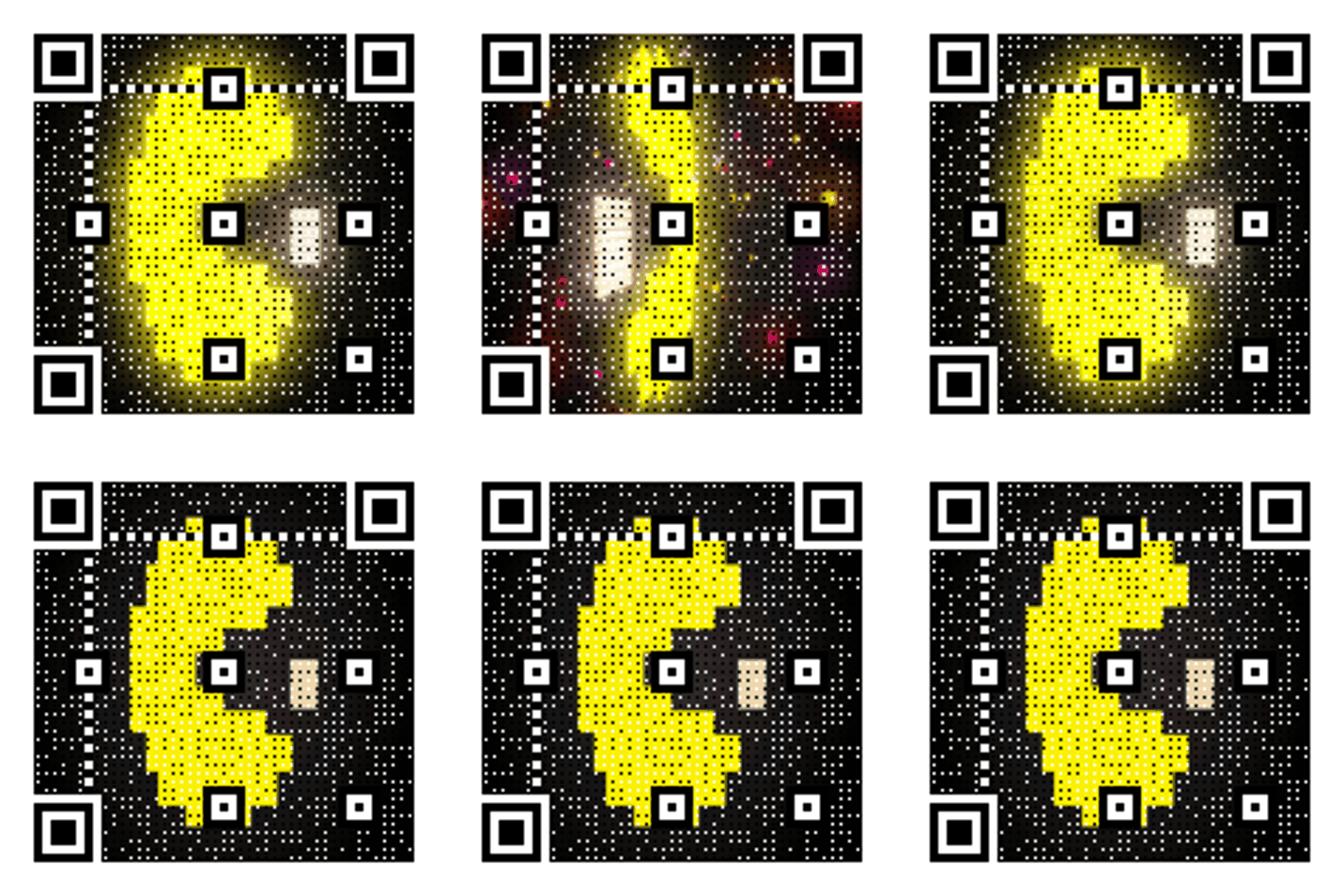
Vertical overlay
Optimized for 9:16 clips.

Retro Wave Launch
Soft neon gradient built for video overlays.

Launch scan
CTA-friendly QR for product drops.
TikTok CTA copy
Copy-ready overlays that pair perfectly with animated QR codes.
Creator follow
Scan to join the crew
Great for creator communities.
Shop now
Scan for the drop
Works for product launches.
Tutorial link
Scan for the full tutorial
Send viewers to longer content.
Ways to use a TikTok QR code
From live streams to print, these are the most effective TikTok QR code placements.
QR code in your TikTok bio link
TikTok allows one link in your bio, but you can add a QR code to your profile image, pinned video, or a static post. When viewers scan it, they land directly on your chosen destination — a product page, newsletter, or external site — without needing to tap around. Use a dynamic QR so you can update the destination anytime without creating a new code.
QR code overlay on TikTok videos
Overlaying an animated QR code on your TikTok video is the highest-converting placement because it appears while viewers are already engaged. Place the code in the mid-left area for 5–7 seconds, pair it with short CTA text like 'Scan for the full tutorial', and keep it at least 260px wide at 1080x1920 resolution. Animated GIF codes draw the eye better than static PNGs on a busy feed.
QR code for TikTok Shop and merchandise
Send viewers to your TikTok Shop product listing, a Shopify page, or a merch store in one scan. Put the QR overlay on screen during the product reveal moment — the 3–5 seconds when you hold the item up to the camera. This turns passive viewers into buyers without requiring them to navigate away and search manually. Dynamic links let you swap the destination if a product sells out.
QR code for TikTok live streams
During a TikTok Live, show a QR code as a screen overlay or on a physical card behind you. Point viewers to a landing page, limited offer, or sign-up form that is only active during the stream. Because live sessions move fast, keep the QR on screen for the full duration of your CTA segment — at least 10 seconds — and announce it verbally so viewers know to scan.
QR code on print materials for TikTok cross-promotion
Packaging, flyers, business cards, and event signage can all carry a QR code that links to your TikTok profile or a specific video. For print, download an SVG or PNG version of your QR code — not a GIF, which freezes when printed. Use a minimum size of 2cm x 2cm (roughly 76px at 96 DPI) and test scanning from 30cm away before sending to the printer.
How to make a QR code for TikTok
Three steps from link to scannable overlay.
Creating a TikTok QR code takes under two minutes. Here is the full process from link to finished overlay.
Paste your TikTok link
Copy the URL you want the QR code to open — your TikTok profile, a specific video, a product page, or any external URL. Paste it into the generator above and press 'Create TikTok QR'.
Choose an animated GIF style
Pick a GIF animation that fits your video aesthetic. Darker backgrounds work well on bright footage; lighter styles work on dark scenes. Preview the animation loop before downloading.
Download and overlay in your editor
Download the GIF file and import it into your video editor (CapCut, Premiere, DaVinci Resolve). Position it in the mid-left area, resize to 260–320px at 1080x1920, and hold it on screen for at least 5 seconds. Export and upload to TikTok.
For print materials (flyers, packaging), download PNG or SVG instead of GIF. GIFs freeze when printed.
Frequently asked questions
Answers to the most common animated QR questions.
How do I add a QR code to a TikTok video?
Generate your animated GIF QR code on qrcode.ing, then overlay it in your video editor before posting. Place it in the mid-left area, at least 260px wide, and keep it visible for 5–7 seconds so viewers have time to scan.
Can I use an animated QR code on TikTok?
Yes. Animated QR codes work perfectly as TikTok overlays. The GIF motion attracts attention on a busy feed and the code still scans reliably with any phone camera as long as it stays on screen long enough.
What size should a QR code be for a TikTok overlay?
Use 260–320px at 1080x1920 resolution. Keep a 140px right margin to avoid TikTok's action buttons and a 180px bottom margin to clear captions. Test on a smaller phone to confirm it stays scannable.
Does a QR code work on TikTok without a link in bio?
Yes. A QR code overlay in your TikTok video sends viewers directly to any URL — no link-in-bio required. It is especially useful when you want to drive traffic to a specific product, landing page, or tutorial.
Is the TikTok QR code free?
Yes. You can create and download an animated TikTok QR code free with no signup. Guest codes expire after 24 hours. Create a free account to keep the code active, edit its destination, and view scan analytics.
How do I download a TikTok QR code?
Paste your TikTok profile, video, or shop link, choose a style, then select Download. Choose an animated style before creating the QR if you want a GIF. No signup is required, but guest codes expire after 24 hours.
How do I make a QR code for a TikTok video?
Paste your TikTok video URL (or any destination link) into qrcode.ing, choose an animated GIF style, then download the file. Import the GIF into CapCut, Premiere, or any video editor and position it in the mid-left area of your 9:16 clip. Hold it on screen for at least 5 seconds, export the video, and upload to TikTok. The entire process takes under two minutes.
How do I get my TikTok QR code?
TikTok generates a native QR code for your profile inside the app — go to your profile, tap the share icon, and select 'QR code'. However, TikTok's built-in code is static and links only to your profile. Use qrcode.ing to generate an animated QR for any URL, then save it to a free account if you want to keep it active and update its destination later.
What is a TikTok QR code generator?
A TikTok QR code generator creates a scannable code for your TikTok profile, a specific video, your shop, or any URL. qrcode.ing supports animated GIF QR codes designed for 9:16 video overlays. You can create and download as a guest with no signup, but guest codes expire after 24 hours. A free account keeps the code active and adds destination editing and scan analytics.
Can I use a TikTok QR code for my shop or merchandise?
Yes. Generate a QR code that links to your TikTok Shop product listing, Shopify store, or any e-commerce page. Overlay the QR on your video during the product reveal moment. Save it to a free account so it stays active and you can update the destination for a new product or campaign without re-editing the video.
Does scan tracking work with TikTok QR codes?
Yes, after you save the code to a free account. Each scan is logged in your dashboard with timestamp and device data. You can compare scan counts across videos to learn which placement, CTA copy, or video type drives the most traffic.
Can I put a TikTok QR code on print materials?
Yes, but use a static QR asset rather than a GIF because animation cannot carry onto paper. Print at a minimum of 2cm x 2cm and test scanning from 30cm away before the final print run. Save the code to a free account first if you want it to stay active and remain editable after printing.
Related pages
Explore more animated QR use cases
Keep building on the screen-first strategy with related guides and templates.
Ready to launch?
Build an animated QR in minutes.