Want to link to a video you've already uploaded instead of placing a code inside the frame? See the QR code for a video guide →
Why overlays need motion
Video is fast. Animated QRs help viewers notice the scan opportunity without pausing the content. The result is a higher scan rate with less on-screen clutter.
Scan focus
Built for screensQR holds position and scale
Minimum 220px width on 1080p
CTA is visible for full duration
No heavy effects behind the QR
Tested with real playback
Video overlay placement
Use these specs to keep the QR readable on 1080p footage.
Anchor to a clean corner
Avoid busy areas so the QR reads instantly.
Use a soft fade
Fade in/out instead of popping on and off.
Test on mobile playback
Check scanning while the video plays on a phone.
Size
240-320px
Based on 1080p resolution.
Safe zone
80px margin
Keep away from titles and captions.
On-screen time
6-8 seconds
Hold longer on slow scenes.
Placement
Lower-right corner
High scan rate without blocking faces.
Overlay tips for creators
Make every frame scan-friendly with these tactical tips.
Stay in safe zones
Avoid subtitles, logos, and interface overlays in the corners.
Hold for 6 to 10 seconds
Give viewers time to grab their phone and scan.
Use a solid backdrop
A subtle card behind the QR protects contrast on busy shots.
Anchor the CTA
Add a short line like "Scan for the full drop".
Avoid motion blur
Keep the QR in a stable area of the frame.
QR examples
Preview a few styles that work well on screens and social overlays.

End-card CTA
Large QR for an end-screen offer.

Neon Grid Promo
High-contrast grid that reads cleanly on screens.
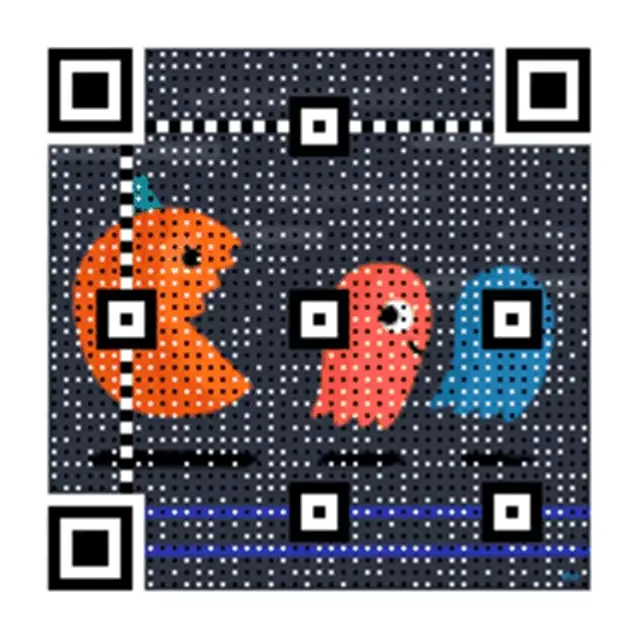
Tutorial link
Steady QR for long-form video.
Overlay CTA copy
Copy-ready overlays that pair perfectly with animated QR codes.
Bonus reveal
Scan to reveal the bonus scene
Perfect for promos and teasers.
Early access
Scan for early access
Great for launches and waitlists.
Download now
Scan to download the full guide
Use for tutorials and PDF offers.
How do you add a QR code overlay to a video?
Generate an animated GIF QR code, drop it into your editor as a layer, then size, export, and test the scan.
This overlay technique places a scannable code inside your video's frame. If you instead want to link to a video you've already uploaded — the different, link-based approach — see the QR code for a video guide for that full walkthrough.
Generate an animated GIF QR code
Paste your destination link into the generator above and choose the animated GIF style built for on-screen use.
Import the QR as an overlay layer
Add the GIF to your video editor as a new layer, positioned in a clean corner of the frame.
Size and place it using the specs above
Match the size, safe zone, and placement guidance in the Video overlay placement section for reliable scans.
Export and test on a phone
Export the video and scan the overlay with a real phone camera before publishing.
Looking to link out to a video you've already uploaded instead of placing a code inside the frame? See the QR code for a video guide for that approach. For more overlay techniques, see the QR code for YouTube, QR code for livestream, and QR code for streaming overlay guides below.
Frequently asked questions
Answers to the most common animated QR questions.
How do I add a QR code overlay to a video?
Generate your animated GIF QR code on qrcode.ing, then import it into your video editor as an overlay layer. Place it in a corner with an 80px safe zone, keep it on screen for 6–8 seconds, and export. Works in Premiere, DaVinci Resolve, Final Cut, and CapCut.
Can I use a QR code overlay on YouTube videos?
Yes. Add the animated GIF QR code as an overlay in your video editor before uploading to YouTube. You can also use YouTube's end card feature to link viewers, but an in-video QR overlay gives you full control over placement and timing.
What size should a QR code be for a video overlay?
For 1080p video, use 240–320px wide with an 80px margin from the nearest edge. Keep the QR visible for at least 6 seconds so viewers have time to pick up their phone and scan. Avoid placing it behind subtitles or logos.
Why use an animated QR code instead of a static one for video?
Animated QR codes catch the eye in motion-heavy content. The subtle GIF loop signals 'interactive element' without requiring a pause. Static QR codes can blend into the frame, while animated ones maintain viewer attention and increase scan rates.
Is the QR code video overlay generator free?
Yes. You can create an animated GIF QR code for video overlays for free on qrcode.ing — no signup to start. Saved QR codes stay dynamic: create a free account to keep your guest code, then you can update the destination URL later without regenerating the QR code. Download as GIF for video or PNG for thumbnails.
Can I make a QR code for a video?
Yes — but that's a different workflow than the overlay above. A QR code can't store a video file; it only holds a link. See the QR code for a video guide for the full walkthrough.
Related pages
Explore more animated QR use cases
Keep building on the screen-first strategy with related guides and templates.
Ready to launch?
Build an animated QR in minutes.