Need the destination to keep changing after printing, not just the motion? Get a free dynamic QR code and save it to keep it →
Why animation works on screens
Motion captures attention when people are scrolling or watching video. An animated QR gives the eye a reason to pause, then scan. On screens you keep the motion, the contrast, and the call to action in one tight block. Every QR code is also a dynamic QR code — update the destination URL anytime without recreating the code.
Scan focus
Built for screensVisible for at least 6 to 8 seconds on screen
Placed away from UI overlays or subtitles
At least 220px wide for 1080p content
Single call to action near the code
Short link resolves correctly
Tested on both iOS and Android cameras
Screen placement specs
Baseline numbers that keep animated QR scans stable on most screens.
Pick a clean background
Avoid busy footage so the QR stands out instantly.
Add a one-line CTA
Tell viewers exactly what they get after scanning.
Test on two devices
Check scan speed on both iOS and Android cameras.
Minimum size
220px
For 1080p screens. Scale up for larger displays.
On-screen time
6-8 seconds
Give viewers time to open the camera.
Loop speed
1.5-2.5s
Smooth loops scan more reliably.
Contrast
70%+
Dark modules on light backgrounds.
Scan-first design tips
Make every frame scan-friendly with these tactical tips.
Keep the quiet zone clean
Leave a clear border around the QR so cameras lock fast.
Slow the animation down
Use smooth loops instead of rapid flicker to avoid scan drops.
Use high contrast edges
Dark foreground on a light background still scans best.
Add a short CTA nearby
Simple copy like "Scan for the bonus clip" improves intent.
Test at real size
Check a phone scan at the exact on-screen size you will use.
QR examples
Preview a few styles that work well on screens and social overlays.
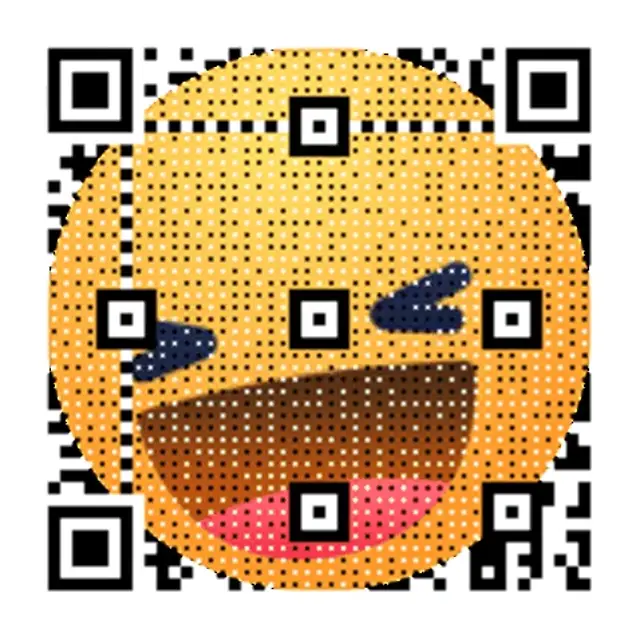
Neon Grid Promo
High-contrast grid that reads cleanly on screens.

Retro Wave Launch
Soft neon gradient built for video overlays.

Night Mode Pulse
Animated QR sample with crisp scan edges.
Overlay copy templates
Copy-ready overlays that pair perfectly with animated QR codes.
Quick reward
Scan to unlock the bonus clip
Works well for short-form video and ads.
Limited drop
Scan now. Drop closes tonight.
Great for launches and flash promos.
Follow funnel
Scan to follow and get updates
Ideal for creator and community growth.
Explore every animated QR use case
Browse the full library of screen-first QR pages, from video overlays to digital signage.
WiFi QR Code Generator — Create a Wi-Fi QR Code
Create a Wi-Fi QR code for your network. Share the SSID, password, security type, and hidden-network setting in one scannable code.
QR Code GIF Maker — Free GIF QR Code Generator
Turn a link into a QR code GIF — the code itself animates, not just the destination. Create and download after CAPTCHA with no signup, no watermarks.
QR Code for Video Overlay — Free Animated GIF, No Signup
Free QR code for video overlay — animated GIF for YouTube, TikTok & streams. Create and download after CAPTCHA with no signup; save to an account for editing and dashboard analytics.
How to Turn a Video Into a QR Code (Free Generator)
Turn a video into a QR code — or make one for any video link. Host on YouTube, Vimeo, or Drive, then create and download after CAPTCHA with no signup.
YouTube QR Code Generator — GIF-Animated, Free
Create a GIF-animated QR code for your YouTube video. Add to end screens, drive traffic, and track scans.
QR Code for Instagram Story
Create an animated QR code for Instagram Stories. Place a scannable QR on 9:16 content that drives clicks.
Free TikTok QR Code Generator — No Signup to Start
Create and download a TikTok QR code after CAPTCHA with no signup. Save to an account to keep it active, edit the link, and view scan analytics.
QR Code for Livestreams — Twitch, YouTube & OBS Overlay
Add a QR overlay to Twitch, YouTube Live, or OBS. Save it to an account to edit the destination and view plan-limited analytics; Free includes 1,000 scans/month and 7-day history.
Animated QR Code for Digital Signage | Free Tool
Create an animated GIF QR for digital signage. Motion grabs attention from a distance and drives more scans.
QR Code for Presentations & Slides — Editable, Free
Add a QR code to PowerPoint, Keynote, or Google Slides. Save it to an account to edit the destination and view plan-limited analytics; Free includes 1,000 scans/month and 7-day history.
Webinar QR Code Generator | Animated, Free
Create an animated QR code for your webinar slides. Boost live engagement, track scans in real-time.
QR Code for Conference Screens
Add an animated QR code to conference screens and stage displays. Drive attendee engagement with dynamic links.
QR Code for TV
Create animated QR codes for TV ads and streaming content. Convert viewers into visitors with a scannable QR.
QR Code for Streaming Overlay — Free & Animated GIF
Add a QR overlay to any stream so viewers can scan to tip, shop, or join live. Works with OBS, Streamlabs & more — create and download after CAPTCHA with no signup.
Animated QR Code Examples — Scan Live & Generate Free
Browse animated QR code examples for social, video & events. Scan live, pick your style, and generate free.
How to Make an Animated QR Code — Free Step-by-Step Guide
Turn any link into an animated GIF QR code in under 30 seconds — no design skills needed. Free step-by-step guide with scan tracking included.
Animated QR Code Best Practices — 5 Scanability Rules
5 proven best practices for animated QR code scanability — contrast, quiet zones, loop speed & size. Free generator included.
What Is a Dynamic QR Code? How It Works
A dynamic QR code lets you change the destination URL after printing — no reprinting required. Learn how it works.
Dynamic QR Code Generator — Free, Trackable & Editable
Create a dynamic QR code free — trackable and editable. Start with a temporary code after CAPTCHA, no signup; save it to a free account to edit destinations and view dashboard analytics within plan limits.
Free Dynamic QR Code Generator — Saved Codes Don't Expire
Free dynamic QR code generator — create a temporary QR code after CAPTCHA with no signup; sign in free and saved codes don't expire while the account stays active, with up to 3 editable QR codes, 1,000 scans/month, and 7-day analytics history.
QR Code Tracking — Real-Time Scan Analytics
Create a temporary trackable QR code after CAPTCHA, then save it to an account to view dashboard analytics. Free includes 1,000 scans/month and 7-day history.
QR Code Analytics — Free Real-Time Scan Dashboard
Save a QR code to an account to view aggregate analytics subject to plan limits; Free includes 1,000 scans/month and 7-day history.
Bulk QR Code Generator — Batch QR Codes at Scale
Create dynamic QR codes in bulk for inventory, packaging, and events. Batch workflows keep every code editable, trackable, and export-ready.
QR Code for Restaurant Menu — Digital Menu Generator
Create a contactless QR code menu for your restaurant. Update dishes instantly without reprinting.
Business Card QR Code Generator — Free vCard & Digital
Create a free business-card QR for a vCard, digital card, or linkpage. Save it to an account for edits and plan-limited analytics; Free includes 1,000 scans/month and 7-day history.
Event Ticket QR Code Generator — Free, Instant
Create a first single event-ticket QR code after CAPTCHA. Per-attendee bulk generation, API workflows, and dashboard analytics require an account and eligible plan.
QR Code Monkey vs qrcode.ing: Free Plans Compared
QR Code Monkey's free codes are static; a free qrcode.ing account gives 3 editable codes with plan-limited scan tracking. Compare both free plans.
QR Tiger Alternative — Animated QR, 1,000 Scans/Mo
Looking for a QR Tiger alternative? qrcode.ing offers animated GIF QR codes and a free account with up to 3 saved dynamic codes and 1,000 scans/month.
Beaconstac (now Uniqode) Alternative — Free QR Codes
Beaconstac is now Uniqode. At qrcode.ing, create animated and static QR codes free; saved codes stay active while your free account is active.
Flowcode Alternative — Free Animated QR Codes
Looking for a Flowcode alternative? Create and download animated GIF QR codes after CAPTCHA with no signup, then save to a free account for editable dynamic links.
Animated QR Codes for Marketing Campaigns
Free animated QR codes for marketing — motion attracts more scans. Built for print, digital, and paid ads.
Dynamic QR Code Pricing: $0-$99.99/mo Plans
Compare qrcode.ing dynamic QR code pricing from $0-$99.99/month. A free account includes up to 3 saved QR codes, 1,000 scans/month, and 7-day analytics history.
Dynamic vs Static QR Code — Key Differences
Dynamic vs static QR code: one lets you edit the link after printing, the other doesn't. Compare features, use cases, and costs.
What Is a QR Code? Meaning, Types & How It Works
A QR code is a 2D barcode that stores URLs, text, or data. Learn how QR codes work, the difference between static and dynamic types, and create one free.
Wedding QR Code Generator — RSVP, Photos & Signs
Create wedding QR codes for RSVPs, photo sharing, and reception signs. Free to start. The $49 Event QR Package bundles 3 codes, a linkpage, and printable signs — no subscription.
QR Code for Events — RSVP, Info & Photo Sharing
Create QR codes for any event — parties, conferences, fundraisers. Free to start. The $49 Event QR Package bundles 3 codes, a linkpage, and printable signs — no subscription.
Frequently asked questions
Answers to the most common animated QR questions.
What is an animated QR code generator?
An animated QR code generator creates QR codes with GIF animations built into the code itself — not just the destination. qrcode.ing lets you pick from motion presets or upload your own GIF, then renders a scan-ready animated QR in seconds.
Do animated QR codes scan as reliably as static ones?
Yes, when built correctly. Animated QR codes on qrcode.ing use smooth loops (8–12 fps) with high contrast so cameras lock on reliably. The key is keeping the quiet zone visible across all frames and the animation speed steady — not flashy.
How big should an animated QR code be on screen?
Use at least 220px wide on 1080p screens. For larger displays, scale proportionally. Keep the code on screen for 6–8 seconds so viewers have time to open their camera app and scan before the code disappears.
Can I update the link in an animated QR code after creating it?
Yes, after saving the QR code to an account. You can then change the destination URL without regenerating or reprinting the QR image. Guest QR codes expire after 24 hours.
Is the animated QR code generator free?
Yes. Guests can create and download animated GIF QR codes after CAPTCHA with no signup; guest QR codes expire after 24 hours. Save to a free account for persistent QR codes, editing, and dashboard analytics.
Related pages
Explore more animated QR use cases
Keep building on the screen-first strategy with related guides and templates.
Ready to launch?
Build an animated QR in minutes.