为何动画在屏幕上更有效
当人们滚动或观看视频时,运动能抓住注意力。动画 QR 让人们有理由停顿并进行扫描。在屏幕上,你可以把动效、对比度和行动号召(CTA)集中在一个紧凑的模块中。
扫描重点
为屏幕而建在屏幕上至少可见 6–8 秒
避开 UI 叠加层或字幕
用于 1080p 内容时宽度至少 220px
在码附近放置一条明确的 CTA
短链接可正确解析
已在 iOS 与 Android 相机上测试
屏幕投放规格
在大多数屏幕上保持动画 QR 稳定可扫的基线参数。
选择干净的背景
避免画面过于繁杂,让 QR 立即突显。
添加一句 CTA
明确告诉观众扫描后会获得什么。
在两台设备上测试
分别用 iOS 与 Android 相机检查扫描速度。
最小尺寸
220px
适用于 1080p 屏幕。更大显示设备请按比例放大。
停留时长
6-8 秒
给观众留出打开相机的时间。
循环速度
1.5-2.5 秒
平滑循环更可靠地被扫描。
对比度
70%+
浅色背景上的深色模块。
以扫描为先的设计建议
用这些技巧让每一帧都更易被扫描。
保持静区干净
在 QR 周围留出清晰边框,便于相机快速锁定。
适当放慢动画
用平滑循环替代快速闪烁,避免扫描失败。
使用高对比边缘
浅底深色前景仍然是最佳可扫组合。
在附近添加简短 CTA
像“扫码领取加更片段”这样的简短文案可提升意图。
按实际尺寸测试
在将要使用的确切屏幕尺寸下,用手机实际扫描检查。
QR 示例
预览几种适用于屏幕和社交叠加层的风格。
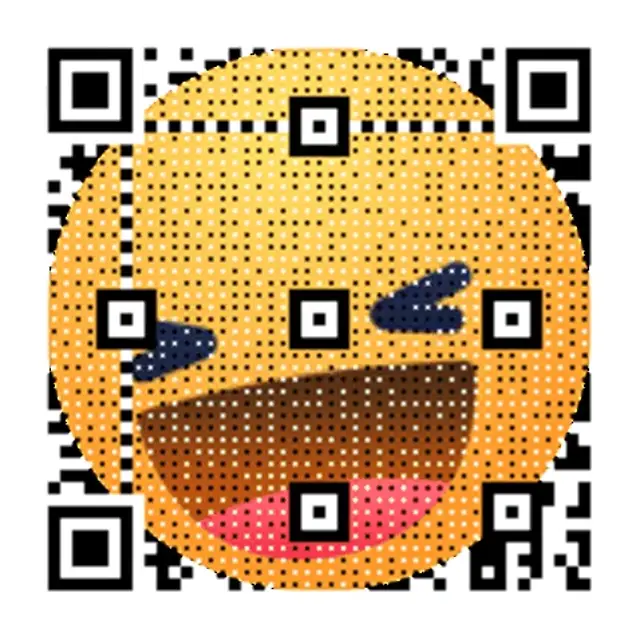
霓虹网格推广
高对比网格,在屏幕上读取清晰。

复古波发布
柔和霓虹渐变,专为视频叠加层打造。

夜间模式脉冲
动画 QR 示例,扫描边缘清晰利落。
叠加文案模板
可直接使用的叠加文案,与动画 QR codes 完美搭配。
快速奖励
扫码解锁加更片段
适用于短视频与广告。
限时发售
立刻扫码。发售今晚截止。
适合首发与限时促销。
关注转化
扫码关注并接收更新
适合创作者与社区增长。
浏览所有动画二维码使用场景
查看完整的屏幕二维码页面库,从视频叠加到数字标牌。
WiFi QR Code Generator — Create a Wi-Fi QR Code
Create a Wi-Fi QR code for your network. Share the SSID, password, security type, and hidden-network setting in one scannable code.
QR Code GIF Maker — Free GIF QR Code Generator
Turn a link into a QR code GIF — the code itself animates, not just the destination. Create and download after CAPTCHA with no signup, no watermarks.
QR Code for Video Overlay — Free Animated GIF, No Signup
Free QR code for video overlay — animated GIF for YouTube, TikTok & streams. Create and download after CAPTCHA with no signup; save to an account for editing and dashboard analytics.
How to Turn a Video Into a QR Code (Free Generator)
Turn a video into a QR code — or make one for any video link. Host on YouTube, Vimeo, or Drive, then create and download after CAPTCHA with no signup.
YouTube QR Code Generator — GIF-Animated, Free
Create a GIF-animated QR code for your YouTube video. Add to end screens, drive traffic, and track scans.
QR Code for Instagram Story
Create an animated QR code for Instagram Stories. Place a scannable QR on 9:16 content that drives clicks.
Free TikTok QR Code Generator — No Signup to Start
Create and download a TikTok QR code after CAPTCHA with no signup. Save to an account to keep it active, edit the link, and view scan analytics.
QR Code for Livestreams — Twitch, YouTube & OBS Overlay
Add a QR overlay to Twitch, YouTube Live, or OBS. Save it to an account to edit the destination and view plan-limited analytics; Free includes 1,000 scans/month and 7-day history.
Animated QR Code for Digital Signage | Free Tool
Create an animated GIF QR for digital signage. Motion grabs attention from a distance and drives more scans.
QR Code for Presentations & Slides — Editable, Free
Add a QR code to PowerPoint, Keynote, or Google Slides. Save it to an account to edit the destination and view plan-limited analytics; Free includes 1,000 scans/month and 7-day history.
Webinar QR Code Generator | Animated, Free
Create an animated QR code for your webinar slides. Boost live engagement, track scans in real-time.
QR Code for Conference Screens
Add an animated QR code to conference screens and stage displays. Drive attendee engagement with dynamic links.
QR Code for TV
Create animated QR codes for TV ads and streaming content. Convert viewers into visitors with a scannable QR.
QR Code for Streaming Overlay — Free & Animated GIF
Add a QR overlay to any stream so viewers can scan to tip, shop, or join live. Works with OBS, Streamlabs & more — create and download after CAPTCHA with no signup.
Animated QR Code Examples — Scan Live & Generate Free
Browse animated QR code examples for social, video & events. Scan live, pick your style, and generate free.
How to Make an Animated QR Code — Free Step-by-Step Guide
Turn any link into an animated GIF QR code in under 30 seconds — no design skills needed. Free step-by-step guide with scan tracking included.
Animated QR Code Best Practices — 5 Scanability Rules
5 proven best practices for animated QR code scanability — contrast, quiet zones, loop speed & size. Free generator included.
What Is a Dynamic QR Code? How It Works
A dynamic QR code lets you change the destination URL after printing — no reprinting required. Learn how it works.
Dynamic QR Code Generator — Free, Trackable & Editable
Create a dynamic QR code free — trackable and editable. Start with a temporary code after CAPTCHA, no signup; save it to a free account to edit destinations and view dashboard analytics within plan limits.
Free Dynamic QR Code Generator — Saved Codes Don't Expire
Free dynamic QR code generator — create a temporary QR code after CAPTCHA with no signup; sign in free and saved codes don't expire while the account stays active, with up to 3 editable QR codes, 1,000 scans/month, and 7-day analytics history.
QR Code Tracking — Real-Time Scan Analytics
Create a temporary trackable QR code after CAPTCHA, then save it to an account to view dashboard analytics. Free includes 1,000 scans/month and 7-day history.
QR Code Analytics — Free Real-Time Scan Dashboard
Save a QR code to an account to view aggregate analytics subject to plan limits; Free includes 1,000 scans/month and 7-day history.
Bulk QR Code Generator — Batch QR Codes at Scale
Create dynamic QR codes in bulk for inventory, packaging, and events. Batch workflows keep every code editable, trackable, and export-ready.
QR Code for Restaurant Menu — Digital Menu Generator
Create a contactless QR code menu for your restaurant. Update dishes instantly without reprinting.
Business Card QR Code Generator — Free vCard & Digital
Create a free business-card QR for a vCard, digital card, or linkpage. Save it to an account for edits and plan-limited analytics; Free includes 1,000 scans/month and 7-day history.
Event Ticket QR Code Generator — Free, Instant
Create a first single event-ticket QR code after CAPTCHA. Per-attendee bulk generation, API workflows, and dashboard analytics require an account and eligible plan.
QR Code Monkey vs qrcode.ing: Free Plans Compared
QR Code Monkey's free codes are static; a free qrcode.ing account gives 3 editable codes with plan-limited scan tracking. Compare both free plans.
QR Tiger Alternative — Animated QR, 1,000 Scans/Mo
Looking for a QR Tiger alternative? qrcode.ing offers animated GIF QR codes and a free account with up to 3 saved dynamic codes and 1,000 scans/month.
Beaconstac (now Uniqode) Alternative — Free QR Codes
Beaconstac is now Uniqode. At qrcode.ing, create animated and static QR codes free; saved codes stay active while your free account is active.
Flowcode Alternative — Free Animated QR Codes
Looking for a Flowcode alternative? Create and download animated GIF QR codes after CAPTCHA with no signup, then save to a free account for editable dynamic links.
Animated QR Codes for Marketing Campaigns
Free animated QR codes for marketing — motion attracts more scans. Built for print, digital, and paid ads.
Dynamic QR Code Pricing: $0-$99.99/mo Plans
Compare qrcode.ing dynamic QR code pricing from $0-$99.99/month. A free account includes up to 3 saved QR codes, 1,000 scans/month, and 7-day analytics history.
Dynamic vs Static QR Code — Key Differences
Dynamic vs static QR code: one lets you edit the link after printing, the other doesn't. Compare features, use cases, and costs.
What Is a QR Code? Meaning, Types & How It Works
A QR code is a 2D barcode that stores URLs, text, or data. Learn how QR codes work, the difference between static and dynamic types, and create one free.
Wedding QR Code Generator — RSVP, Photos & Signs
Create wedding QR codes for RSVPs, photo sharing, and reception signs. Free to start. The $49 Event QR Package bundles 3 codes, a linkpage, and printable signs — no subscription.
QR Code for Events — RSVP, Info & Photo Sharing
Create QR codes for any event — parties, conferences, fundraisers. Free to start. The $49 Event QR Package bundles 3 codes, a linkpage, and printable signs — no subscription.
常见问题解答
关于动画 QR 最常见问题的答案。
数秒内构建 GIF QR
粘贴链接,选择 GIF 风格,即刻下载。已启用访客创建。
为何动画在屏幕上更有效
当人们滚动或观看视频时,运动能抓住注意力。动画 QR 让人们有理由停顿并进行扫描。在屏幕上,你可以把动效、对比度和行动号召(CTA)集中在一个紧凑的模块中。
屏幕投放规格
在大多数屏幕上保持动画 QR 稳定可扫的基线参数。
以扫描为先的设计建议
在 QR 周围留出清晰边框,便于相机快速锁定。 用平滑循环替代快速闪烁,避免扫描失败。
动画 QR 上线清单
在屏幕上至少可见 6–8 秒 · 避开 UI 叠加层或字幕 · 用于 1080p 内容时宽度至少 220px
相关页面
探索更多动画 QR 用例
通过相关指南与模板,继续拓展屏幕优先策略。
准备上线了吗?
几分钟内构建一个动画 QR。