From link to animated QR in minutes
Animated QR codes look complex, but the workflow is simple. Follow the steps below to get a scan-ready GIF in minutes.
Scan focus
Built for screensDestination link tested
GIF preset or upload selected
Contrast checked
Scan tested on iOS and Android
Correct download format chosen
Build settings checklist
Recommended defaults for a first animated QR.
Paste the destination URL
Use the final link you want users to visit.
Pick an animation preset
Choose a style that matches the campaign.
Export and test scan
Make sure it scans before publishing.
Format
GIF for web, MP4 for ads
Choose by channel.
Frame rate
8-12 fps
Smooth but stable.
Size
220px+
Minimum for phone scanning.
Destination
Short link
Faster camera lock.
Step-by-step workflow
Make every frame scan-friendly with these tactical tips.
Start with the destination
Choose the exact link you want people to open.
Pick a GIF style
Select a preset or upload your own GIF for motion.
Keep contrast strong
Dark QR modules on light backgrounds scan best.
Test scan on a phone
Scan from the real size you will publish.
Download and deploy
Use GIF for screens and PNG/SVG for print.
Step-ready examples
Use these examples as your starting point.

Night Mode Pulse
Animated QR sample with crisp scan edges.
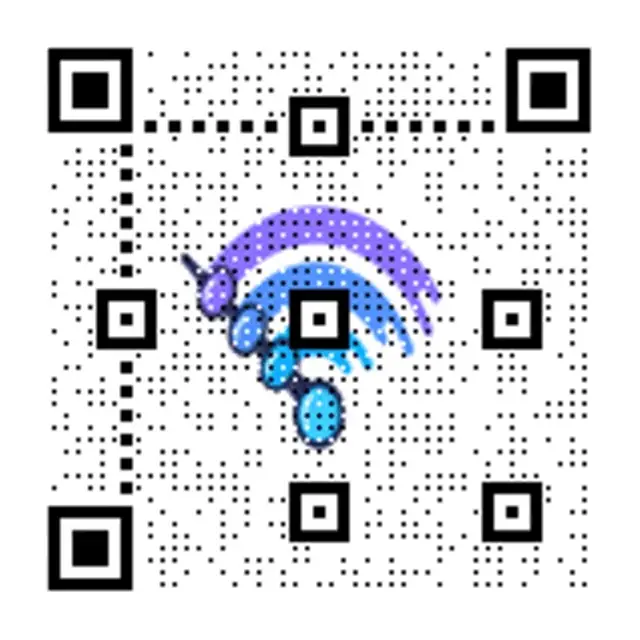
Step-ready overlay
Clean QR for tutorials.

Creator promo
Motion that stands out in video.
CTA copy starters
Copy-ready overlays that pair perfectly with animated QR codes.
Instant access
Scan to get instant access
Great for gated content.
Follow action
Scan to follow
Perfect for creator links.
Offer unlock
Scan to unlock the offer
Use for promos and discounts.
How to make an animated QR code in 5 steps
Follow these steps to go from a blank URL to a scan-ready animated QR code in under 30 seconds.
Creating an animated QR code takes under 30 seconds and requires no design skills. Follow these five steps to generate a GIF QR code that scans reliably on any screen.
Open the animated QR code generator
Go to qrcode.ing and click the animated QR generator. No account is required for guest creation — you can start immediately.
Paste your destination URL
Enter the link you want scanners to reach. Use a short, clean URL for the best scan performance. Saved QR codes stay dynamic: create a free account to keep your guest code, then you can change its destination later without regenerating it.
Choose a GIF animation preset
Browse the motion preset library and pick a style that fits your brand or platform. Options range from subtle neon pulses to bold looping animations. You can also upload your own GIF for a fully custom look.
Preview and adjust contrast
Check that the QR modules are dark against a light background. High contrast is the single biggest factor in scan reliability. If the preview looks hard to read, switch to a higher-contrast preset.
Download and test before publishing
Download the animated QR as a GIF for screens or PNG/SVG for print. Open your phone camera and scan the downloaded file at its intended display size. Test on both iOS and Android before going live.
Tip: keep the animation loop between 1.5 and 4 seconds and maintain a quiet zone (clear border) around the QR on every frame to ensure reliable scanning.
Frequently asked questions
Answers to the most common animated QR questions.
How do I make an animated QR code?
Go to qrcode.ing, paste the destination URL, choose a GIF animation preset, and click generate. Your animated QR code renders in seconds. Download as a GIF for screens or PNG for print. No account or design skills required.
Do animated QR codes actually scan?
Yes. Animated GIF QR codes scan reliably on all modern smartphones. The key is keeping the animation loop smooth (8–12 fps), maintaining high contrast (dark modules on light background), and making the code at least 220px wide on screen.
What format should I download the animated QR code in?
Download as GIF for digital screens, video overlays, and social media. Download as PNG or SVG for printed materials — printing a GIF freezes the animation to its first frame, so static formats work better for print.
Can I change the link in my animated QR code later?
Yes — after you create a free account and save the code. Guest codes expire after 24 hours, while saved codes stay dynamic. You can update the destination from your dashboard without regenerating or reprinting the QR image.
How long does it take to make an animated QR code?
Under 30 seconds. Paste your link, pick a GIF style from the preset library or upload your own, and click generate. Your animated QR code is ready to download immediately with no signup required.
Related pages
Explore more animated QR guides
Keep building on your animated QR knowledge with examples, best practices, and the generator.
Ready to launch?
Build an animated QR in minutes.