Motion is the marketer's oldest attention trick
In a world of static print and digital clutter, motion stands out. An animated QR code draws the eye before the viewer has consciously decided to look. On digital signage, video ads, and social media, the looping pattern signals interactivity — inviting a scan the way a blinking cursor invites a click. qrcode.ing embeds the animation directly into the QR pattern, so the code is both scannable and a visual element of the campaign creative.
Campaign QR checklist
Campaign readyCampaign URL confirmed and tested
Dynamic link enabled for post-launch flexibility
Animation style matches campaign branding
QR code visible for 6+ seconds on screen placements
Print export downloaded as SVG or PNG at required DPI
Scan tested on iOS and Android before launch
Analytics dashboard open to track scan volume
How to add an animated QR code to your marketing campaign
From URL to campaign-ready QR code in three steps.
Paste your campaign URL
Enter your landing page, offer, or event registration URL into qrcode.ing. The generator creates a dynamic link so you can update the destination after the campaign launches.
Pick an animation style
Choose from GIF animation presets. For brand alignment, pick colours that match your campaign palette. For screen placements, higher-contrast styles scan most reliably.
Download and deploy
Export as a GIF for video and screen use, or as SVG/PNG for print. Place in your creative, set a clear call-to-action near the code, and activate your campaign dashboard to track scans.
Screen size
220px minimum
For 1080p screens. Scale up for larger digital displays.
Print size
2.5 cm minimum
Export as SVG or PNG for sharp print results.
On-screen time
6-8 seconds
Give viewers enough time to open their camera and scan.
Link type
Dynamic
Update the campaign destination without reprinting or regenerating.
Make every animated QR code work harder
Tactical advice for marketers deploying animated QR codes across channels.
Pair every QR with a CTA
A one-line call-to-action beside the code — 'Scan for the offer' or 'Scan to register' — significantly increases scan rates. The QR code attracts attention; the CTA gives the viewer a reason to act.
Use animated QR for screens, PNG for print
Animated GIF QR codes are designed for screens: video ads, digital signage, social posts, and presentations. For printed materials, export the same QR as a PNG or SVG — sharp, scannable, and print-ready.
Track with built-in analytics
qrcode.ing tracks every scan by date, device, and geography. Use this data to compare campaign performance across placements, measure ROI, and identify which channels drive the most conversions.
Keep the quiet zone clear
The white border around the QR code must stay visible in all creative layouts. Overlapping text, graphics, or dark backgrounds on the quiet zone causes scan failures — test before publishing.
Use dynamic links for campaign flexibility
Dynamic QR codes let you change the destination URL after the campaign is live. If a landing page URL changes mid-campaign, or you want to redirect traffic to a new offer, update the link in your dashboard — no new code needed.
Test across devices before launch
Scan your QR code on both iOS and Android devices, at the exact size it will appear in the campaign creative. This catches contrast issues and size problems before they cost you real scans.
Animated QR codes in action
See how animated QR codes look across common marketing formats.

Digital ad overlay
Animated QR code built for video ads and display banners.

Event screen display
High-contrast loop for large-format screens at events and conferences.
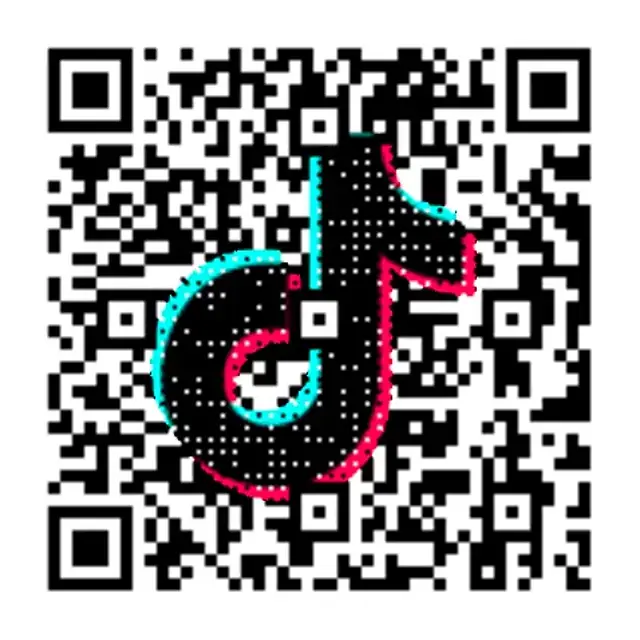
Social content QR
Motion-first QR code designed to stand out in social media feeds.
Ready-to-use campaign copy
Pair these call-to-action lines with your animated QR code for higher scan rates.
Offer redemption
Scan to claim your offer
Direct, action-driven copy for discount codes, free trials, and limited-time promotions.
Event registration
Scan to register now
Clean CTA for event posters, conference materials, and digital displays.
Product launch
Scan to see the launch
Works for product reveals, new arrivals, and campaign landing pages.
Animated QR code marketing questions
Everything marketers need to know about using animated QR codes in campaigns.
What is an animated QR code for marketing?
An animated QR code for marketing is a QR code where the pattern itself moves as a looping GIF. Unlike static QR codes, the motion draws attention on screens, video ads, digital signage, and social media. qrcode.ing creates animated QR codes that are fully scannable — the animation is built into the code, not just the destination link.
Do animated QR codes get more scans than static ones?
On screen placements, animated QR codes tend to attract more attention than static ones because motion naturally draws the eye. The effect is strongest in environments with competing visual content — digital signage, social feeds, and video ads — where a static code can easily be overlooked. For print, both static and animated exports from qrcode.ing perform equally well.
Where can I use an animated QR code in a marketing campaign?
Animated QR codes work in any screen-based placement: digital signage, video ads, social media posts and stories, YouTube overlays, presentation slides, trade show screens, and event displays. For print placements — flyers, posters, packaging, business cards — export the same QR code as a PNG or SVG for a sharp static version.
Can I track scans from my marketing campaign?
Yes. Every QR code created on qrcode.ing is dynamic by default and includes built-in scan analytics. You can track total scans, scan dates, device types, and approximate geographic location from your dashboard. This data lets you measure campaign performance, compare channels, and calculate ROI without additional tracking tools.
How do I update a QR code campaign after it goes live?
qrcode.ing uses dynamic links, so you can change the destination URL of any QR code at any time from your dashboard. If your landing page changes, an offer expires, or you want to redirect traffic to a new campaign, update the link — all existing codes and printed materials continue to work and point to the new destination.
Related pages
More animated QR tools for your campaigns
Explore specific use cases and formats for animated QR codes in marketing.
Launch your campaign
Create a free animated QR code for your next marketing campaign.