A QRCode Monkey alternative built for live campaigns
QRCode Monkey's free generator produces static QR codes — its dynamic, editable codes and scan analytics require the paid PRO plan. qrcode.ing's free plan includes dynamic QR codes you can edit after they're printed, plus scan tracking, so a code doesn't need to be static to be free. Create animated GIF QR codes for screens, point scans through editable dynamic links, and review scan analytics without adding a separate measurement workflow. For business cards, menus, signage, and social posts, you can start free without signup and download clean QR assets, then sign in when you need saved editing and analytics.
Decision checklist
Free to startQR code appears on a screen → choose qrcode.ing for animation
QR code is for print → export PNG or SVG
Need scan analytics → choose qrcode.ing
Need a dynamic / editable link → use qrcode.ing dynamic QR
Need animated GIF QR → create it with qrcode.ing
Head-to-head: qrcode.ing vs QRCode Monkey
How the two generators compare across the features that matter most.
Choose your format first
For screen placements such as video, signage, presentations, and social media, qrcode.ing adds motion with animated GIF QR codes. For print, export a static PNG or SVG.
Consider dynamic links
Dynamic QR codes let you change the destination URL after publishing. qrcode.ing pairs editable destinations with scan analytics so campaign performance is easier to review.
Check your use case
Choose qrcode.ing when you need animated QR codes, editable campaign links, business-card QR destinations, and analytics in one workflow.
Animated QR codes
qrcode.ing supports GIF QR
Create QR codes where the pattern itself animates for screen placements.
Dynamic links
Editable destinations
Update the destination URL without creating a new QR image.
Scan analytics
Built in
Track scan activity for campaigns from the same QR workflow.
No-signup generation
Free to start
Generate and download a QR code quickly before creating an account.
How to choose the right QR generator
A quick framework for picking between qrcode.ing and QRCode Monkey based on your specific use case.
Use qrcode.ing for video and screens
If your QR code appears in a YouTube video, TikTok overlay, digital signage display, or presentation, animated QR codes add visible motion to the scan prompt.
Use qrcode.ing for marketing campaigns
Motion in a QR code signals activity and draws the eye. For campaigns where measurement matters, pair animated QR codes with dynamic links and scan analytics.
Use static exports for print
For business cards, menus, or packaging where the QR is printed, export a scan-ready PNG or SVG from qrcode.ing.
qrcode.ing adds scan analytics
Track scan activity from the same workflow you use to create dynamic QR codes, so printed and digital campaigns are easier to measure.
Dynamic links protect your print runs
With a dynamic QR code from qrcode.ing, you can change the destination URL without reprinting — especially valuable for print materials with long shelf lives.
Animated QR code examples
Examples of QR codes where the pattern itself animates for screen-first campaigns.
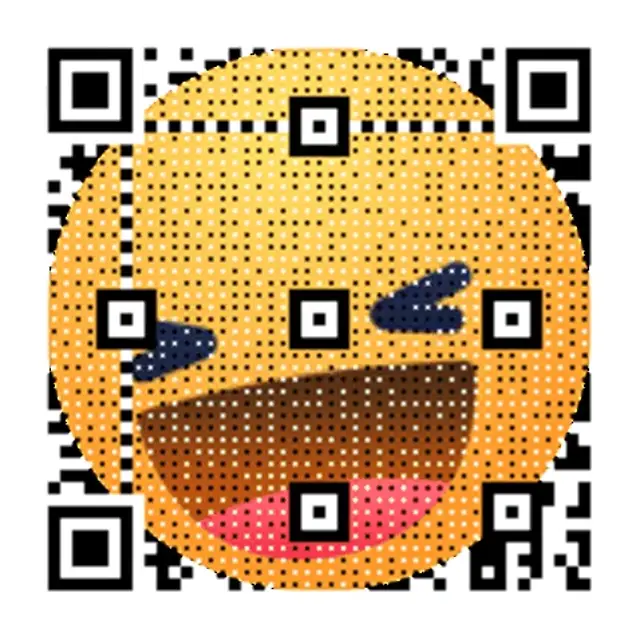
Animated screen overlay
The QR pattern loops as a GIF for screen-first placements.
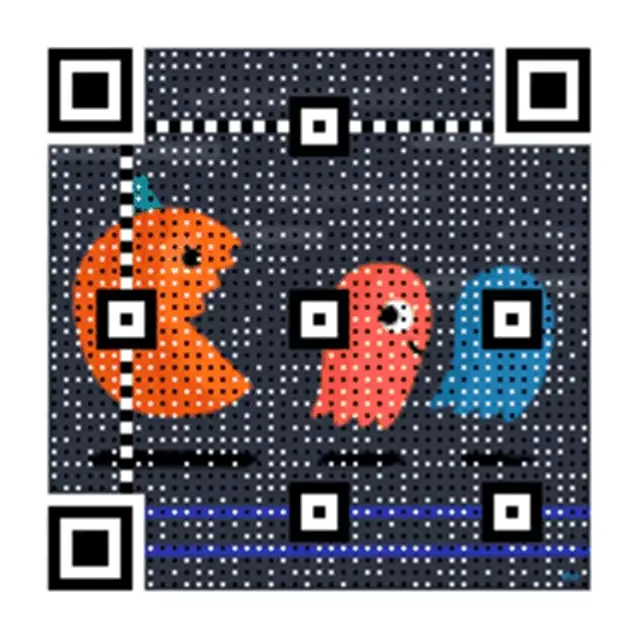
Motion signage QR
Smooth loop built for digital displays and video backdrops.

Social media ready
Animated QR code designed to stop the scroll on social feeds.
When animated QR codes win
Copy-ready scenarios for switching from a static generator to qrcode.ing.
Video overlays
Add motion to your scan CTA
Animated QR codes blend naturally into video content and give viewers a reason to pause.
Digital signage
Make your display stand out
A looping animated QR on a screen gives viewers a more visible scan prompt.
Social media content
Stop the scroll with motion
A GIF QR code embedded in a social post or story catches the eye before viewers swipe past.
Frequently asked questions
Answers about the differences between qrcode.ing and QRCode Monkey.
What is the main difference between qrcode.ing and QRCode Monkey?
qrcode.ing focuses on animated QR codes, dynamic links, and scan analytics. You can create QR codes where the pattern itself moves as a looping GIF, update dynamic destinations after publishing, and review scan activity for campaigns.
Is QR Code Monkey static or dynamic?
QRCode Monkey's QR codes are static in its no-signup flow — the destination is fixed once you download the code, and editable codes require its paid PRO plan. qrcode.ing's free plan includes dynamic QR codes with editable destinations and scan tracking.
Does QRCode Monkey support animated QR codes?
If animated QR codes are part of your decision, qrcode.ing is built specifically for that workflow. The QR code pattern itself loops as a GIF rather than simply pointing to a GIF URL.
Is qrcode.ing free like QRCode Monkey?
qrcode.ing lets you start free with no signup for guest creation, no watermarks, and instant downloads. You can create animated GIF QR codes and static exports as a guest, then sign in to save dynamic campaigns, edit destinations, and review scan analytics.
Which QR code generator is better for marketing?
qrcode.ing is built for marketing workflows that need animated QR codes, editable campaign destinations, and scan analytics. That combination fits video, social media, digital signage, presentations, and business-card QR campaigns.
Can I use qrcode.ing for print materials instead of QRCode Monkey?
Yes. qrcode.ing exports QR codes as SVG and PNG for print. When you download a static or animated QR for print, the file can be used as a sharp static image, with the option to use animated GIF QR codes on screens.
Related pages
Explore what qrcode.ing can do
See the full range of animated and dynamic QR code use cases available on qrcode.ing.
Ready to try animated QR codes?
Create your first animated QR code free — no signup required.